
Teams, client tags and more
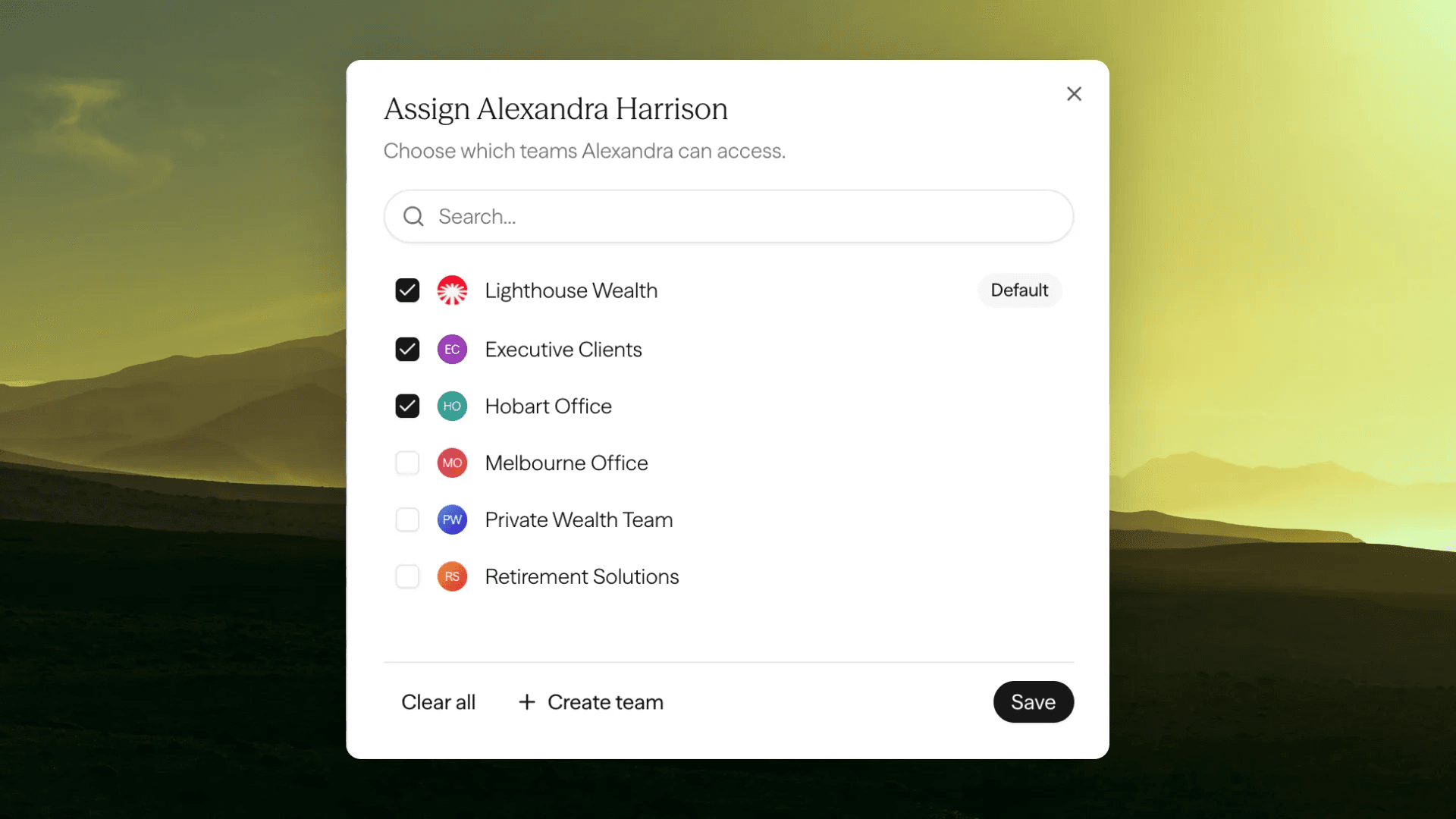
Bigger practices and licensees rarely work as one group. You can now organise Claras around how your firm actually operates, with teams, a clearer clients table, client tags, and a better editor.
Work across teams
Split your practice into teams, each with its own members, clients and templates, and switch between the teams you belong to from the practice switcher. Move a client from one team to another when the relationship changes hands, and share templates across teams so everyone starts from the same place.
Owners and managers manage teams and members from Settings → Team. Available on Enterprise plans.
Clients table
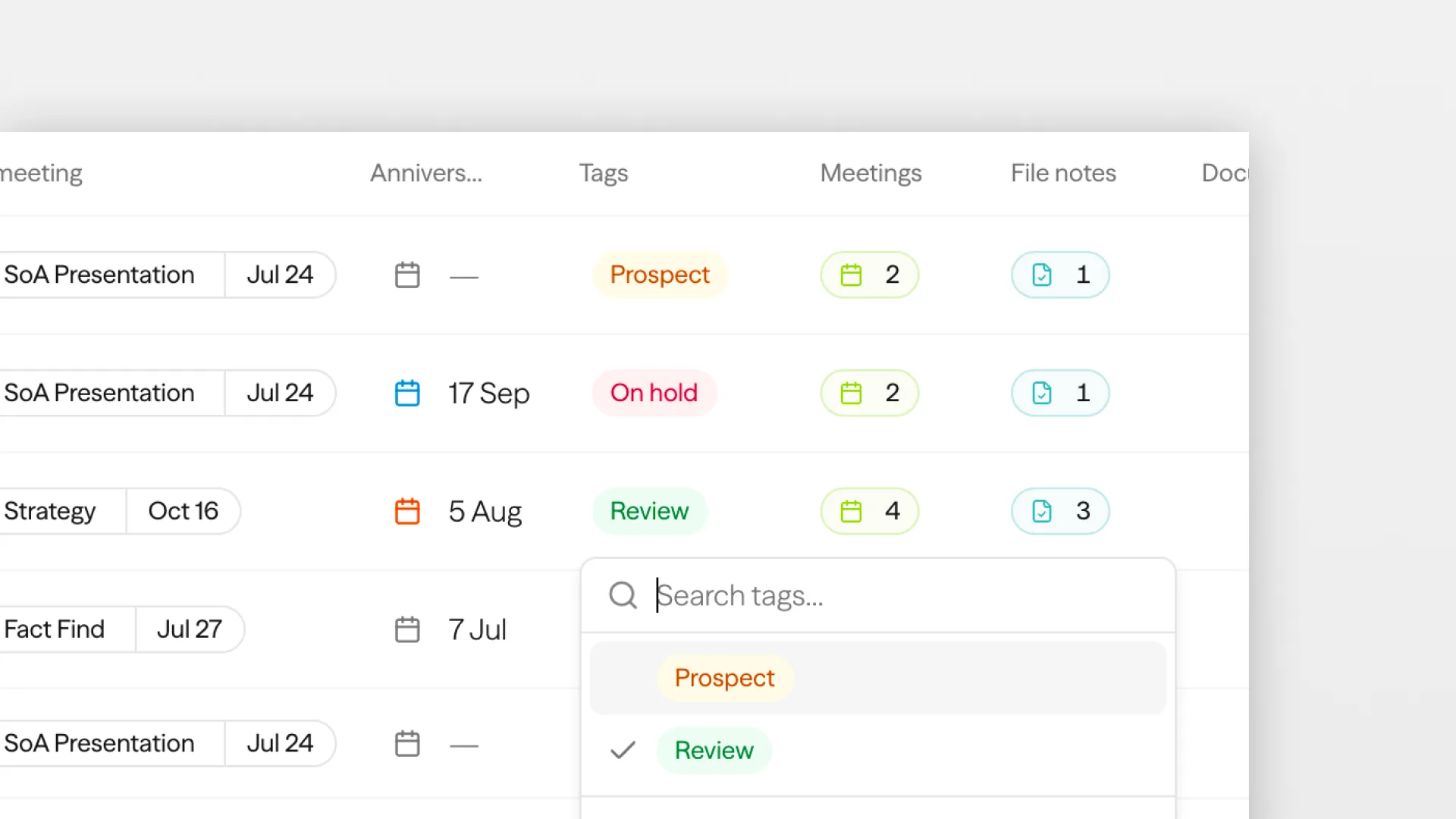
The clients list is now a full table. Sort by name, last meeting, anniversary and more, filter what you see, and act on several clients at once. Tags and anniversary sit on each row so you can organise as you go.
The list remembers your sort and whether you are viewing everyone's clients or just your own. Give any client an anniversary date, then sort or filter by it when you need the right cohort.
Organise clients with tags
Every practice groups clients differently, so client tags are yours to define. Create labels like "Prospect", "Review due" or "Estate planning", then tag a client from their record or straight from the clients list. Filter the list by a tag to pull up a group of clients in seconds.
Owners and managers build the tag list in Settings, and your team applies tags as they work.
A better editor
You can now add images straight into a document, formatting is easier to apply as you write, and the same editing carries through when you build templates, so what you set up once shows up everywhere it is used.
Improvements
- Calendar sync has come out of early access and is available to every practice. Connect it from the Schedule page.
- Upload a document straight into the document template creator instead of pasting the text in.
- Documents can draw on much more of a client's history at once, so longer pieces have the full picture.
- You can now export everything in your practice: clients, meetings, file notes and documents, in a single request.
- Merge several uploaded recordings into one meeting.
- Cleaner Word exports, with table alignment and your template styles applied.
- Bring back a meeting or document template you archived earlier.
- The analytics CSV export now includes document activity.
 Tsogt Otgonbaatar