
Welcome aboard
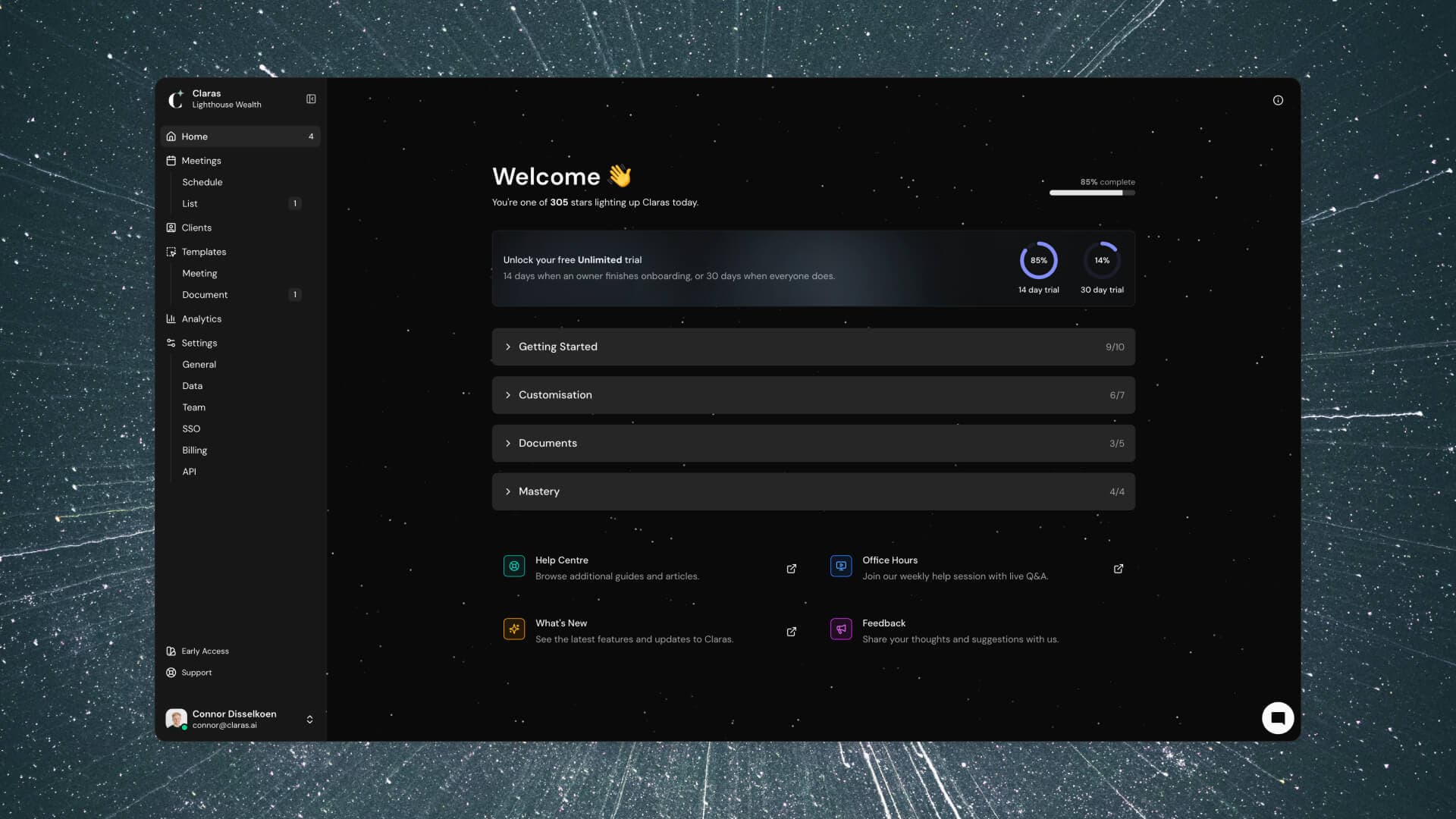
We've built something powerful in Claras. Features that fundamentally change how practices deliver advice at scale. But here's what we discovered: the most advanced tools mean nothing if people feel lost using them. So today, we're introducing guided onboarding built directly into Claras. Every step you need to master the platform, right where you need it.
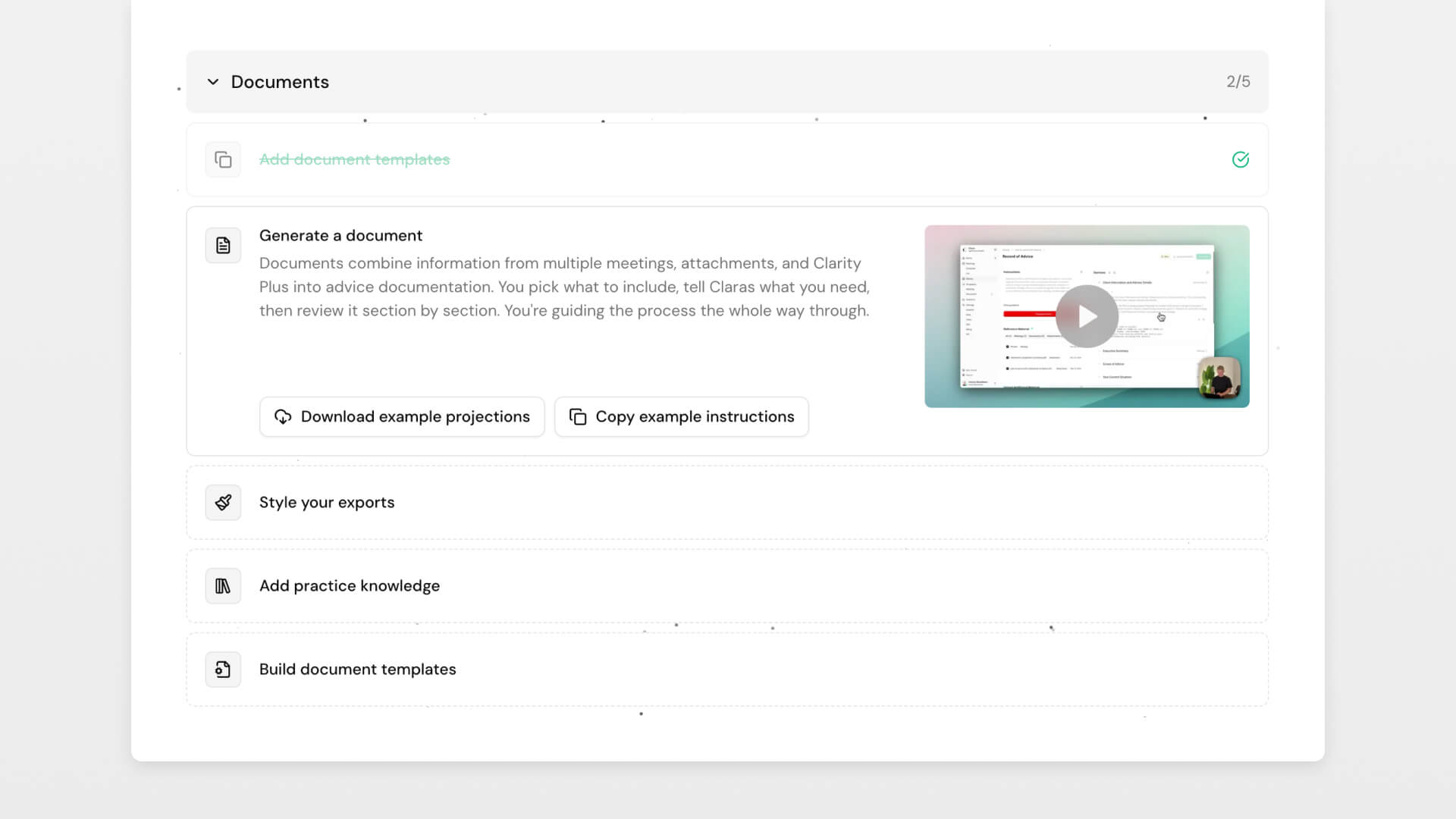
Follow along with embedded videos, or just dive in and explore. Steps automatically complete as you discover features naturally. If you've been using Claras already, you'll find many steps already ticked off.
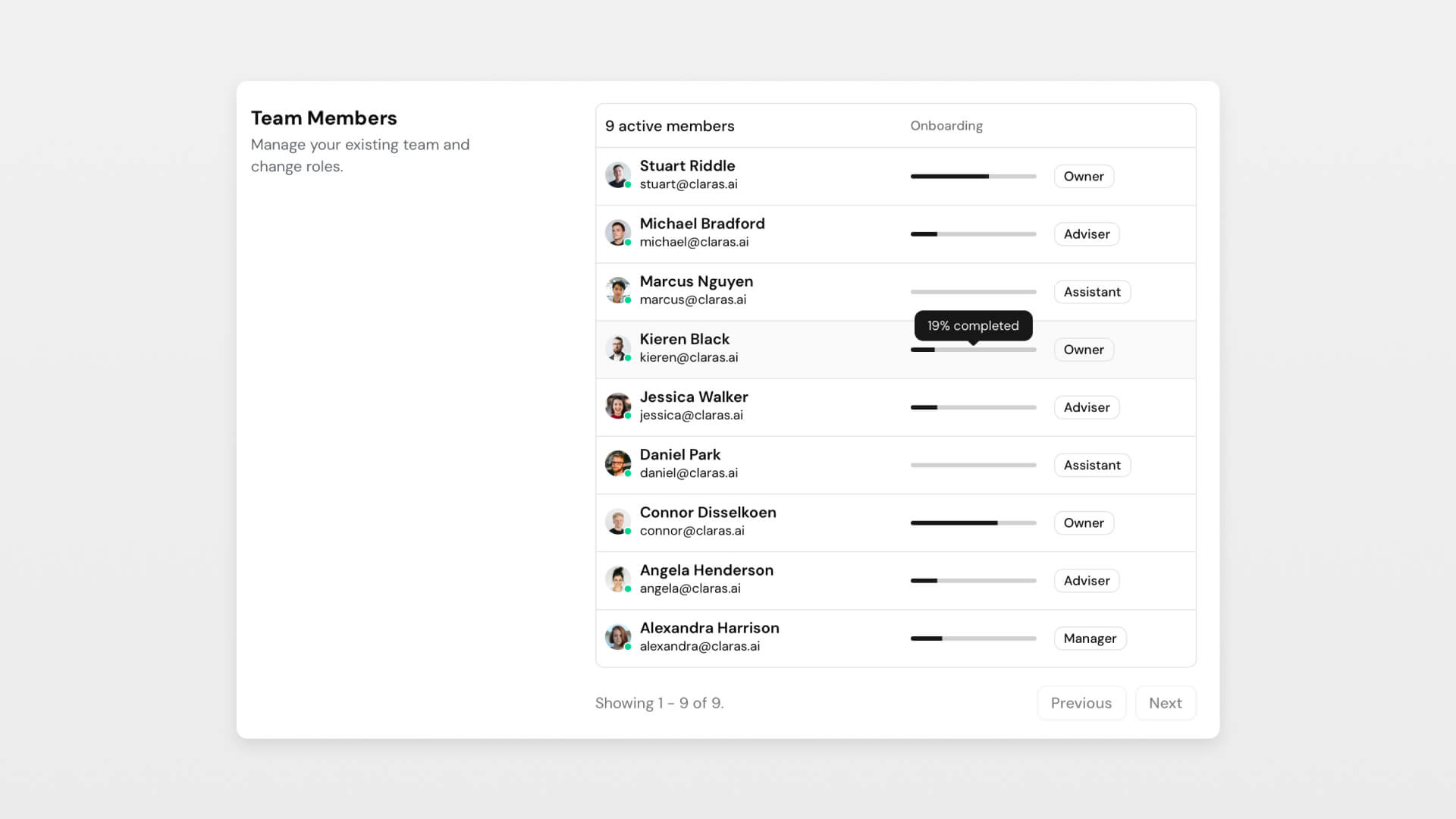
For practice owners and managers, you can see your team's progress at a glance. Spot who might need extra support, celebrate wins together, and ensure everyone's getting the most from Claras.
The truth is, half the challenge with AI tools today is education. Building the technology is one thing. Empowering people to shape it to their unique workflow? That's what actually matters. By treating onboarding as part of the product itself, not an afterthought, we're making sure every adviser can harness these tools to work brilliantly in their specific situation.
You're part of something bigger
Starting today, Claras feels different. More alive. On your new home page, you'll find a constellation of stars, each one representing someone active on Claras today.
Watch it transform throughout the day. A few early morning pioneers light up the darkness. By mid-morning, clusters form as teams log in together. Come evening, you're looking at a full galaxy of advisers, all using Claras to deliver better advice.
It's mesmerising, honestly. And it's growing every day. You're not just using software. You're part of a movement that's reshaping how advice gets delivered.
New templates
We've added four new document templates designed for the real workflows that happen between meetings and advice:
- Strategy Paper - Analyses what you learned in discovery against your strategy knowledge base to surface relevant options before your strategy meeting.
- Client Friendly Summary - Takes your massive SOA and creates the 1-2 page summary clients actually read, written in language they'll understand.
- Implementation Checklist - Transforms your advice into trackable tasks with clear owners and deadlines, so nothing falls through the cracks during execution.
- Paraplanner Brief - Pulls the agreed strategies from your meeting into a concise handover so your paraplanner knows exactly what to draft.
Access these by going to Templates → Document → Browse Library, copy the ones you want into your practice, and they're ready to use.
Improvements
- Assistants can now generate documents
- You can use the "Improve Template" tool against finalised file notes
- The document generator is more concise by default
 Connor Disselkoen